Drop video anywhere
TikTok Watermark Remover
Use this tool only with videos you own, created yourself, or are authorized to edit. You are responsible for ensuring watermark removal complies with copyright and other applicable laws.
Try image watermark remover
How to remove the TikTok watermark from a video
1. Paste the TikTok link
Open the video in TikTok, tap Share, then Copy link, and paste it into the box on DeWatermark. Already have the file saved? Skip the link and click 'Upload Video'.
2. Download it without the logo, free
Click “Remove watermark” to save the video with the TikTok logo and @username already removed, for free
3. Still has a watermark? Continue with AI
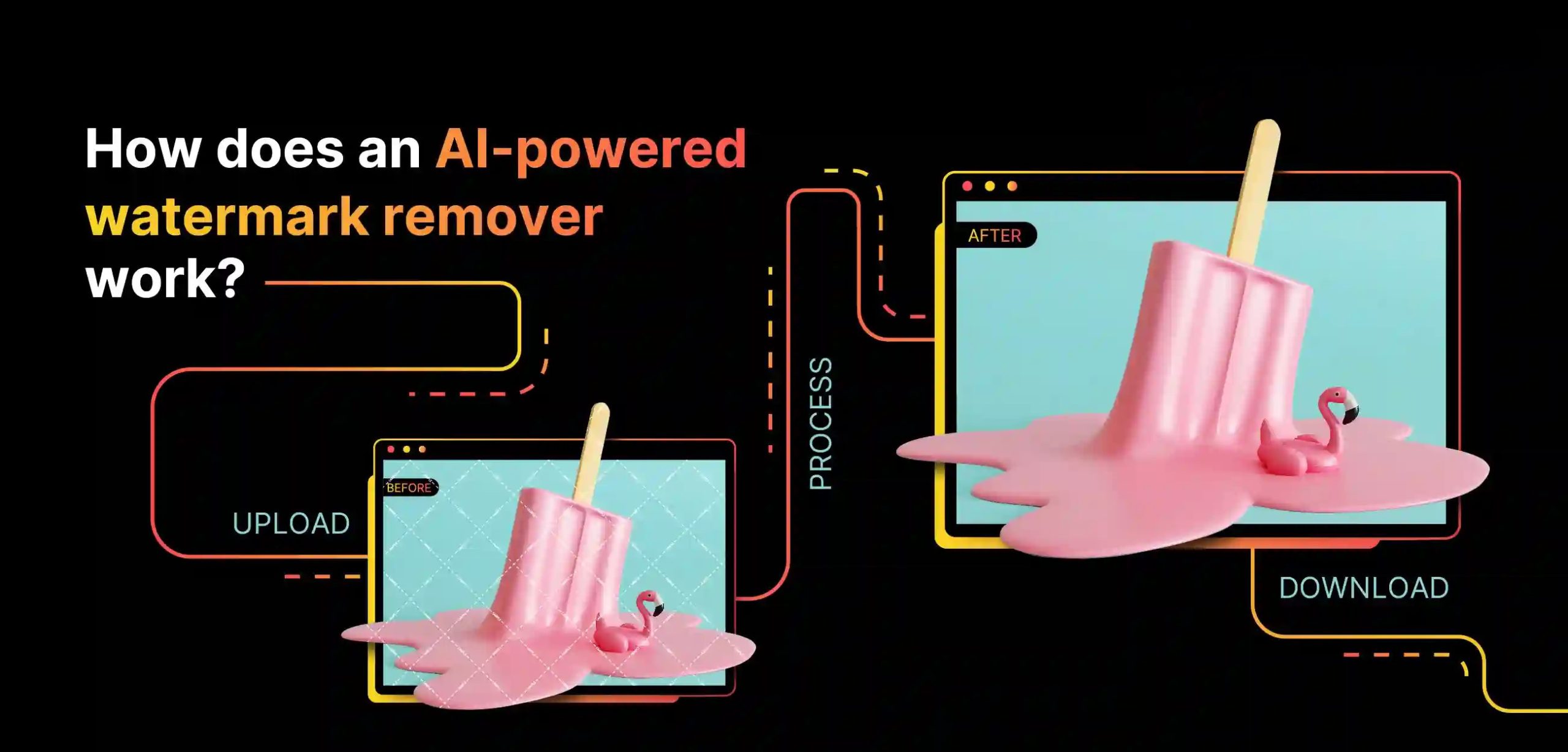
If a logo, a watermark or captions are still burned into the video, upload the file to AI watermark remover and click “Get 5s Preview” to see the first 5 seconds with the watermark removed.
4. Remove the watermark from the full video
Happy with the preview? Click “Get Full HD Video”. The AI clears the watermark on every frame, full clip, full frame, no crop (requires credits). Then save the clean video, ready to repost anywhere.




Get the TikTok watermark remover app
Dewatermark.AI is available on the App Store & Google Play Store, so you can clean up TikTok downloads right on your phone.


2-in-1 TikTok Watermark Remover
Get rid of the TikTok logo that won't stay still
The TikTok watermark jumps between corners every few seconds which is exactly why crop-based tools fail, and exactly why Instagram and YouTube can spot a repost and quietly cap its reach. DeWatermark detects the logo independently on every frame, wherever it has moved to, and rebuilds the footage behind it so the full frame survives intact.
Erase the @username so it doesn't trace back to TikTok
Downloads carry the creator's @username under the TikTok note icon. DeWatermark removes the handle along with the logo, leaving no blur patch or smear where the text used to be — useful when reposting your own footage elsewhere.
Clear captions and text overlays for a clean repost
Burned-in captions, stickers and on-screen credits stay in the file once the video is exported. DeWatermark clears those overlays and fills the area naturally, so you can re-caption the footage for another platform.
Handle full-frame watermarks with AI
Some downloads carry repeated text or patterns spread across the entire frame. DeWatermark's AI, trained on thousands of watermark patterns, identifies the overlay layer even over fine detail and restores the scene beneath it.
Catch semi-transparent watermarks that blend into the shot
Some watermarks added by the uploader are partly transparent and blend into busy or bright shots. DeWatermark's AI detects and removes them without reducing the video's image quality.
Why is DeWatermark the best TikTok watermark remover?
It works both ways: paste a TikTok link for a free download without the logo, or upload any watermarked video you already have, so it still does the job when a paste-a-link tool would give up.
Logo and @username gone at the download step
The moving TikTok logo and the @username are added when you save a video from the app. Paste the link and DeWatermark downloads the original video, which has neither, so there is no manual selection, no crop and no blur. The frame and quality stay the same as the original, free and with no credits.
AI clears what's left, with a natural background
For watermarks still burned into the video, such as a CapCut logo or a channel name, a CNN model detects the watermark area, then a GAN model uses video inpainting to fill it with the surrounding color, texture and motion data, so the background looks natural instead of leaving a fake looking patch. The AI works best on watermarks that stay in one position. We keep training new models to push that quality further.
Preview 5 seconds before you pay
Downloading by TikTok link is free. When a video needs AI removal, DeWatermark generates a free 5 second preview before any credits are charged. Check the quality on the first five seconds, then decide if the full clip's worth it. It's one of the few tools that lets you judge the result before you pay for it.
Download in HD, audio track preserved
DeWatermark exports watermark-free videos in MP4 format at the original resolution. The downloading process is fast and safe. The audio track is preserved exactly as recorded. We always suggest downloading with the highest quality available.
What users say about the DeWatermark TikTok watermark remover
Discover More Powerful AI Tools On Dewatermark
Our comprehensive ecosystem of image and video editing tools.
AI Image Enhancer
Enhance image resolution up to 2x, 4x without pixelation.
Try Now

PDF Watermark Remover
Quickly remove watermarks from PDF documents.
Try Now
Image Watermark Remover
Remove watermarks from images with precision.
Try Now

Magic Text Remover
Remove text and dates from images with precision.
Try Now
Frequently Asked Questions
Common questions about removing TikTok watermarks from videos
Paste the TikTok link into DeWatermark and click 'Remove watermark' to download the original video without the logo and @username, free and with no credits. If another watermark is still burned in, upload the video and click 'Get 5s Preview' to check the AI result at no cost. Clearing the full video costs credits based on its length. Registered users get up to 25 credits a day to try it.
Yes. When you paste the link, DeWatermark downloads the original video, which has no logo at all, so where the logo moves no longer matters. For other watermarks still burned into the video, the AI detects them on every frame separately rather than assuming a fixed position, and clears them wherever they appear.
No. A video downloaded by link is the original file, with nothing cropped or edited, so the quality stays the same. If you use the AI to clear another watermark, DeWatermark exports at the original resolution in MP4 and keeps the audio track exactly as recorded. Only the watermark area is reconstructed; the rest of the frame is untouched.
No. Cropping cuts away part of a vertical frame and changes the aspect ratio. DeWatermark downloads the original video without the logo from the link you paste instead, so the full frame is preserved.
Downloading a TikTok video by link to remove the logo and username is fast, just 3 to 5 seconds. Clearing other watermarks with AI depends on clip length, resolution and how complex the overlay is. The shorter the video, the faster it's done.
Yes. Paste the TikTok link and the video is saved without the logo and the @username. On an uploaded file, the handle sits under the TikTok note icon and is detected as part of the same overlay, so both are cleared in one pass.
Not yet. DeWatermark handles one link or one video at a time. For batch work across many files, the batch image watermark remover handles up to 50 images at once.
Removing the watermark from videos you filmed or have permission to edit is fine. Removing watermarks from someone else's copyright-protected content without permission is not. Always make sure you hold the rights to the footage.