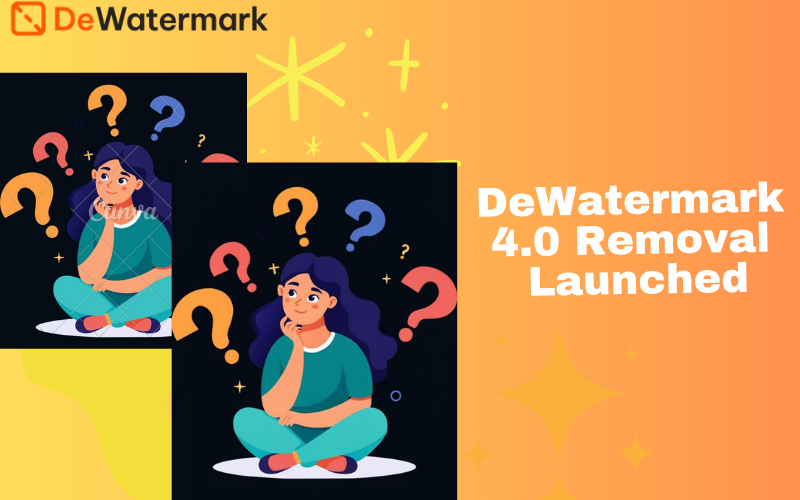
DeWatermark has launched Auto Remove 4.0, an upgraded version of its standard AI model for removing watermarks, stickers, doodles, and hand-drawn overlays from images, kinds of the hardest watermarks and icons usually attached to images. The new model delivers stronger removal results across all watermark types and specially, it costs just 1 credit per image, 3 times cheaper than the Pro model, while producing visibly better output than Auto Remove 3.0.
This post covers what changed in Auto Remove 4.0, how it compares against the existing models, which model to choose for different image types, and how to select it in the tool.
DeWatermark Now Offers Three AI Removal Models
DeWatermark provides three AI removal models, each designed for different watermark scenarios. Understanding the difference helps you get the best result on the first try and avoid spending credits on a model that isn’t suited to your image type.
- Auto Remove 3.0: the previous standard model. It works well on simple watermarks and clean backgrounds. Best for text watermarks on photos with minimal overlap between the watermark and key image details.
- Pro Remove (Qwen): the Pro model, at 3 credits per image. Stronger than 3.0 at handling complex cases, especially illustrations, anime-style images, and hand-drawn doodles. Preserves fine texture and natural detail during removal.
- Auto Remove 4.0: the newest model, upgraded from Auto Remove 3.0. The strongest overall performer for stickers, beauty filters, face detail restoration, and general watermark removal. 1 credit per image, 3x cheaper than the Pro model.
See The Difference Among Auto Remove 4.0 vs Qwen vs Auto 3.0
The comparison below shows the same image processed by all three models. The original has a diagonal watermark overlay. Each model handles the removal differently.
| Original | Auto Remove 3.0 | Pro Remove (Qwen) | Auto Remove 4.0 |
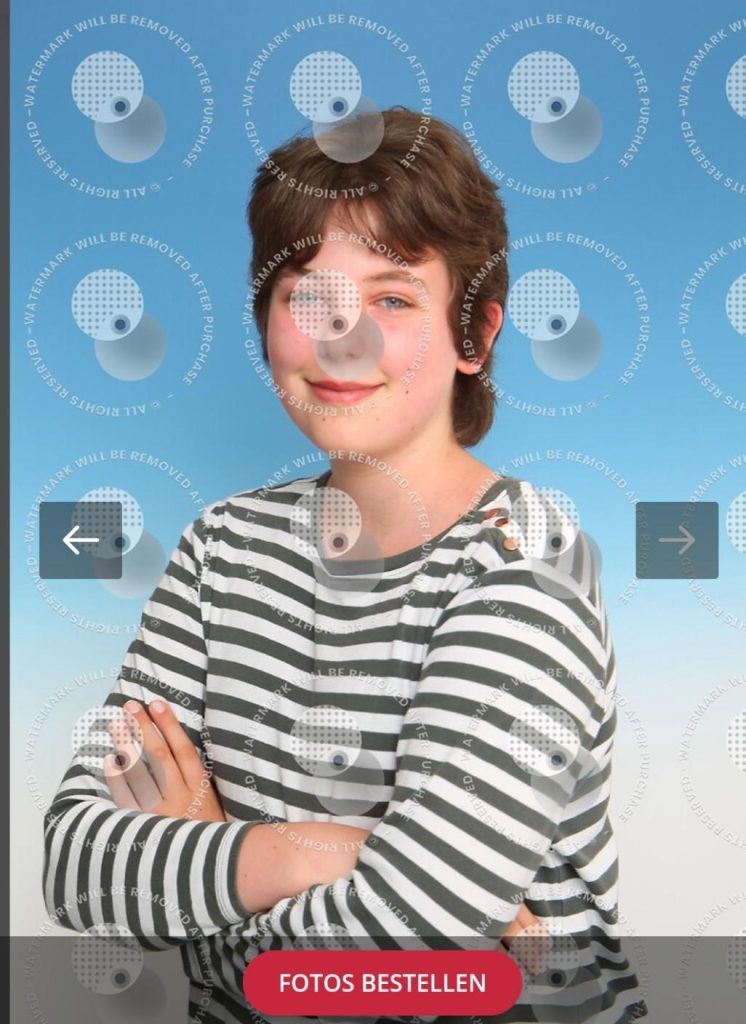 |  |  |  |
Meanwhile, Pro Remove (Qwen) handles detection gaps better. It can remove additional elements beyond the detected mask: Arrow button, text, text box and returns a natural and clean result.
Auto Remove 4.0 produces the strong removal results overall including areas outside the detected mask, and is particularly effective on beauty stickers and face detail restoration. In some cases, reconstructed areas may appear slightly less textured than Qwen, but the removal completeness is higher.
Which Removal Model Performs Best: By Image Type
No single model wins every scenario. Here is how each model performs across the five most common use cases, based on our internal testing.
Images with Many Stickers or Doodles
| Original | Auto Remove 3.0 | Pro Remove (Qwen) | Auto Remove 4.0 |
 |  | 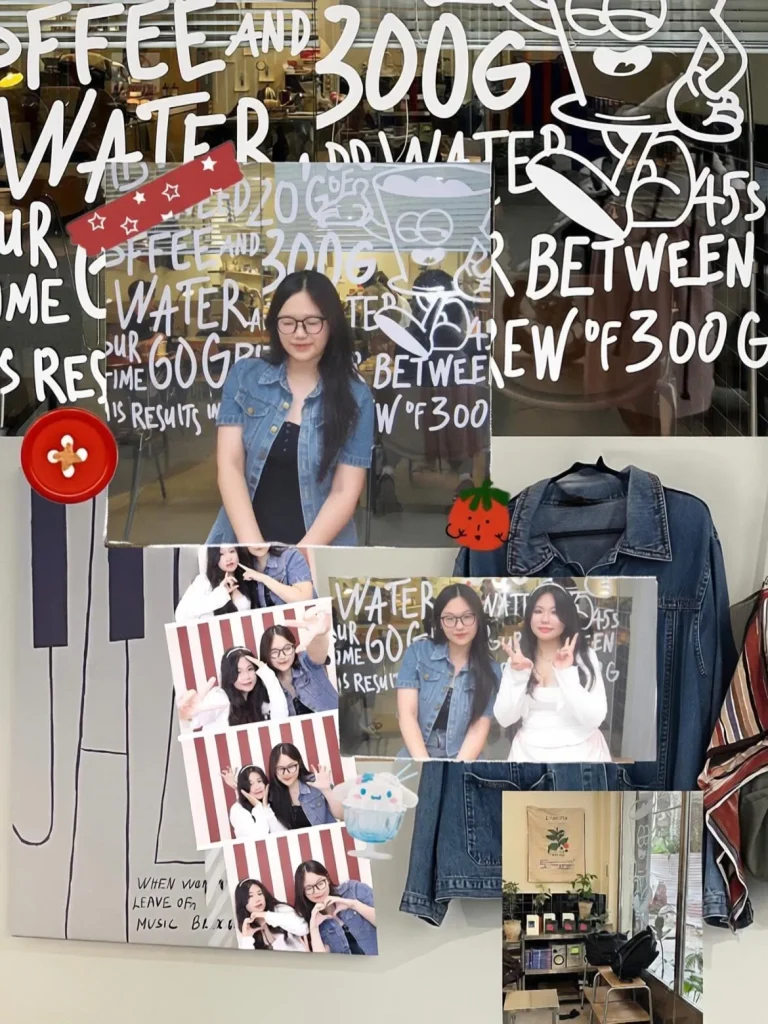 | 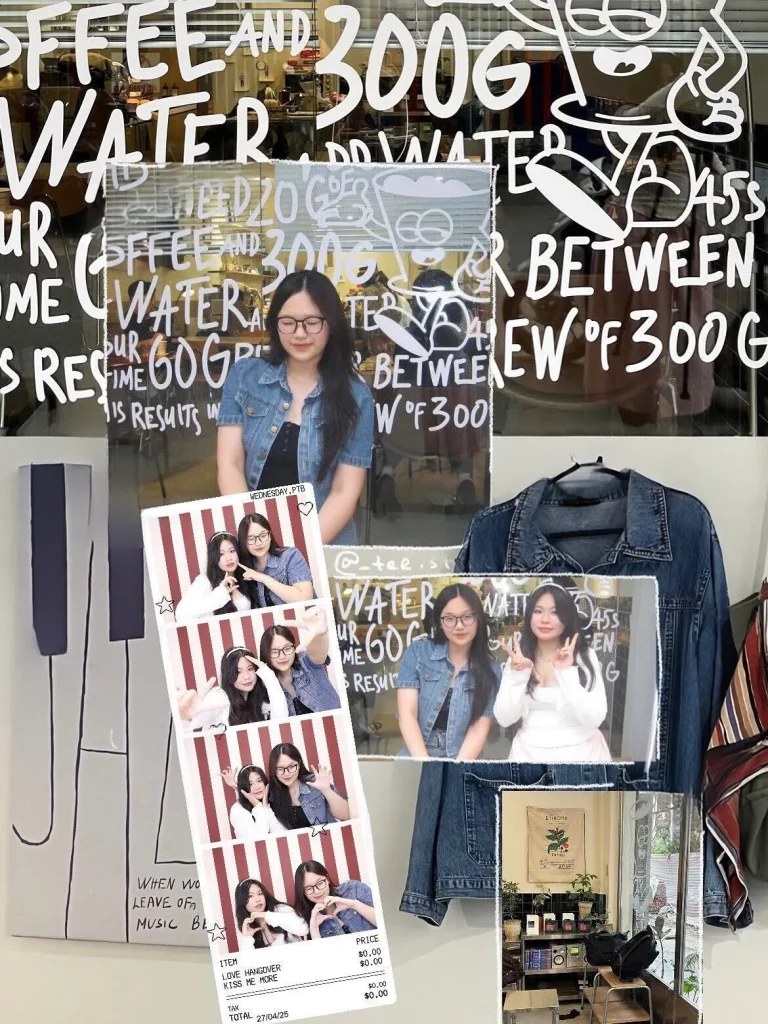 |
Pro Qwen: Handles detection gaps, removes additional elements beyond the mask in many cases. Strong performer when mask detection is incomplete. But you still see some red icons left in the image
Auto 4.0: is the strongest remover in this case, it cleans elements outside the detected mask. The most complete result in most cases, though occasionally reconstructed areas look less natural than Qwen.
Best for this case: Auto Remove 4.0 for maximum removal completeness. Pro Qwen if texture naturalness is the priority.
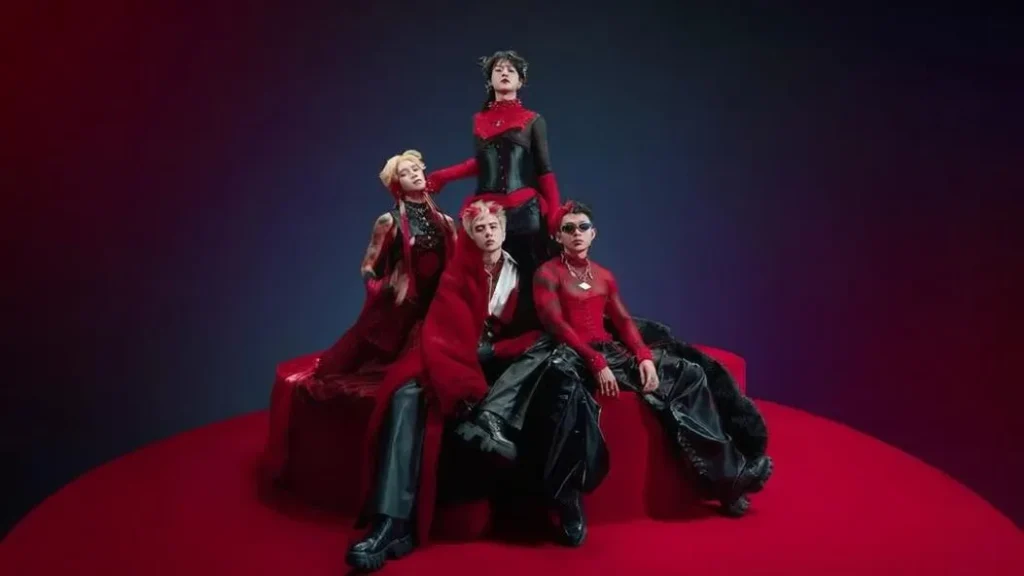
Hand-Drawn Marks Close to the Subject
| Original | Auto Remove 3.0 | Pro Remove (Qwen) | Auto Remove 4.0 |
 |  |  |  |
 |  |  |  |
Pro Qwen: Best for this scenario. It preserves subject detail and texture naturally while removing marks more completely than 3.0. Standout performer on complex hand-drawn overlays.
Auto 4.0: Removes more than 3.0 by extending beyond the detected mask, but may lose some fine texture detail during reconstruction compared to Qwen.
Best for this case: Pro Remove (Qwen) — superior texture preservation and cleaner removal on images with intricate hand-drawn detail close to the subject.
Decorative Doodles Across the Image
| Original | Auto Remove 3.0 | Pro Remove (Qwen) | Auto Remove 4.0 |
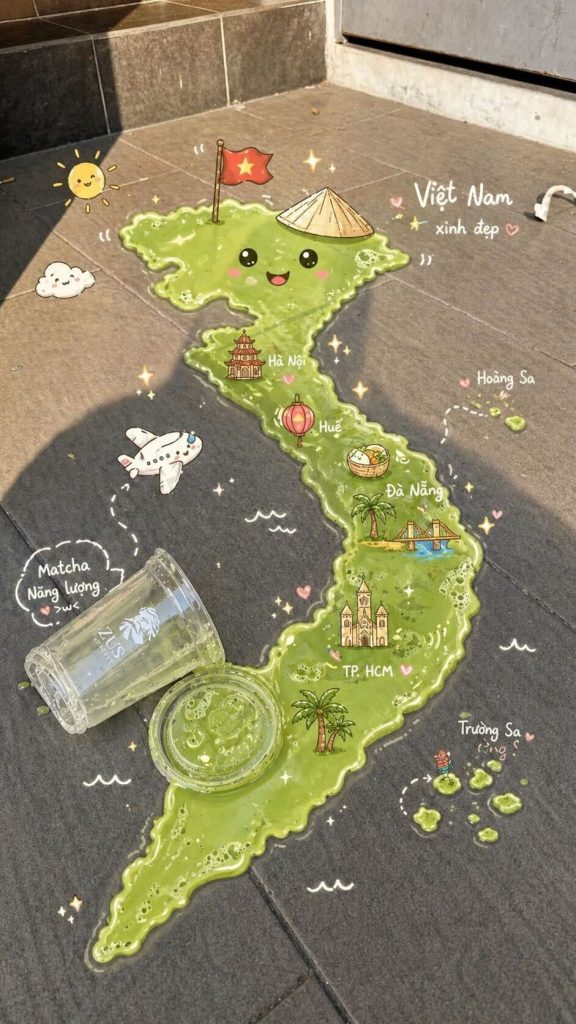 | 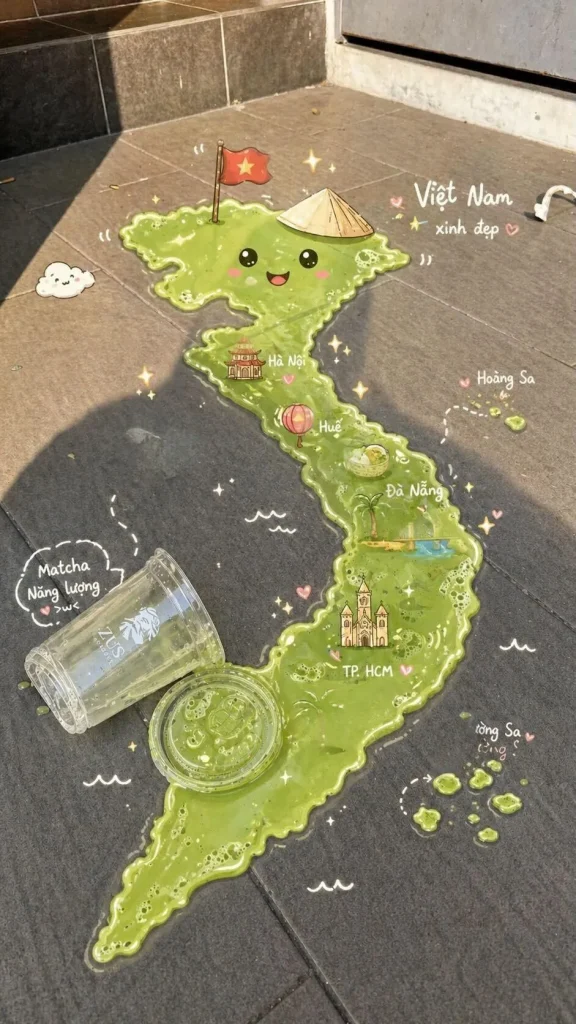 | 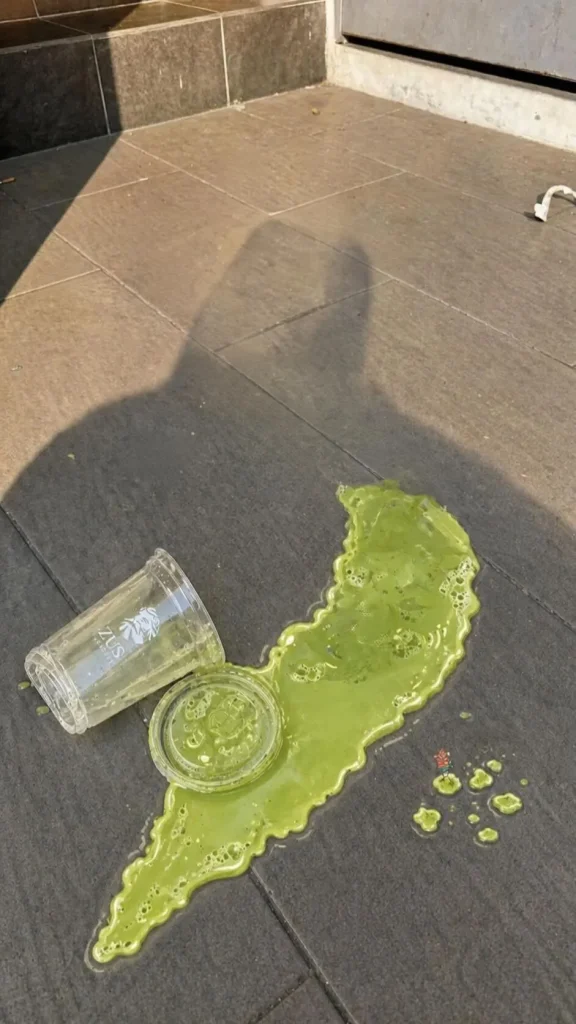 | 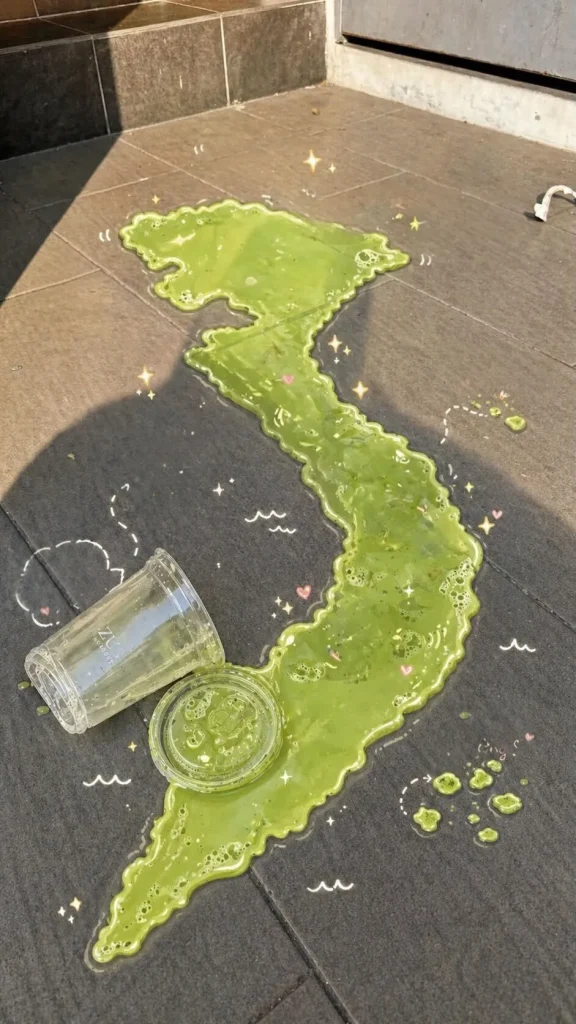 |
Pro Qwen: Multiple cases where Qwen outperforms on cleanliness and handling detection failures. Strong and consistent on doodle-heavy images.
Auto 4.0: More stable overall results than Qwen — consistent performance across a wide range of doodle types. Less variance between easy and difficult cases.
Best for this case: Auto Remove 4.0 for consistent results. Pro Qwen if the doodles are dense and fine-detailed.
Text Watermarks on Illustration or Anime-Style Images
| Original | Auto Remove 3.0 | Pro Remove (Qwen) | Auto Remove 4.0 |
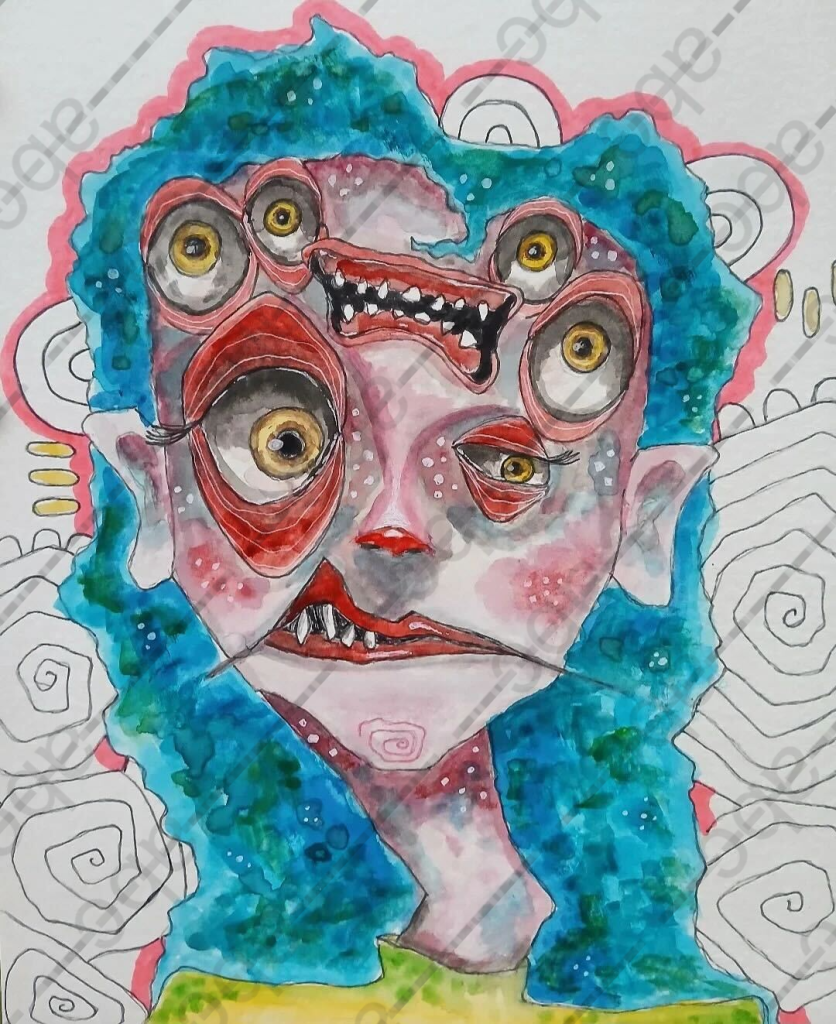 | 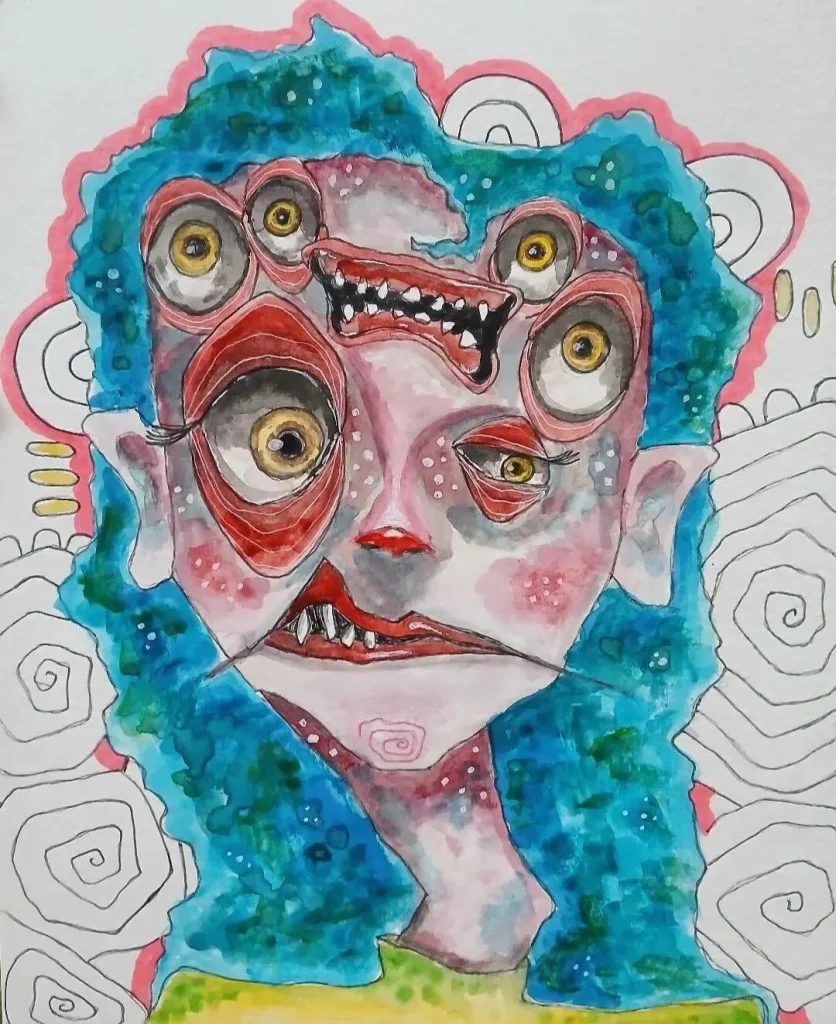 | 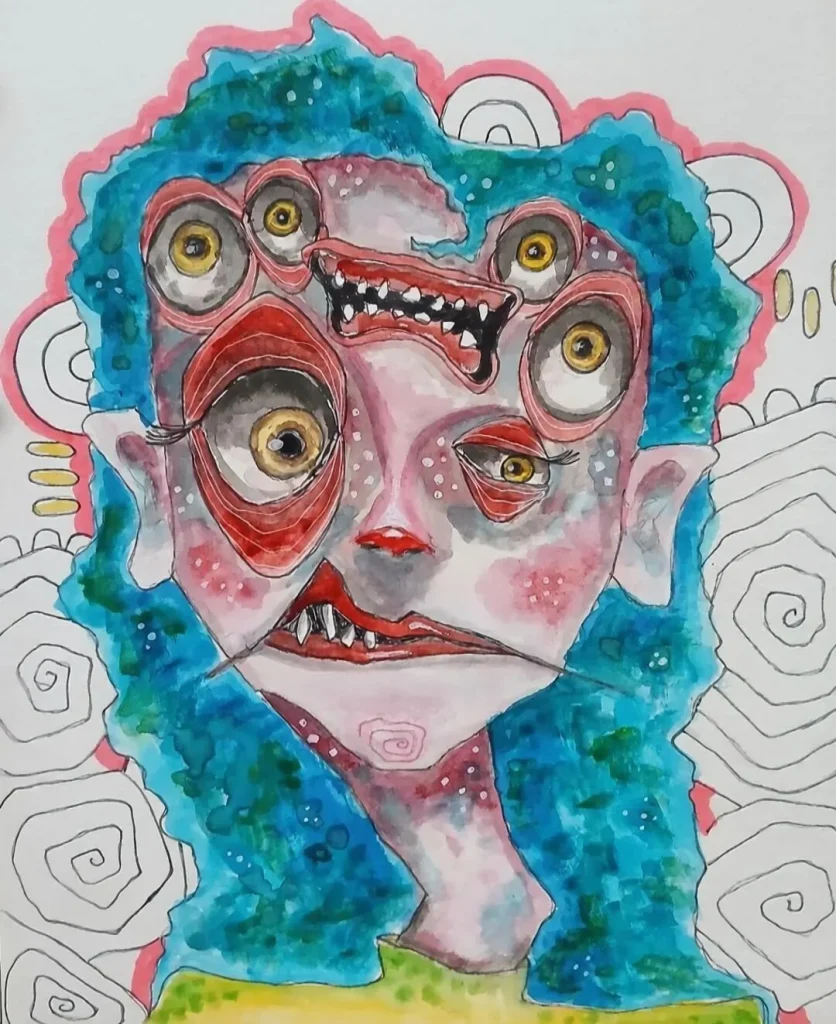 | 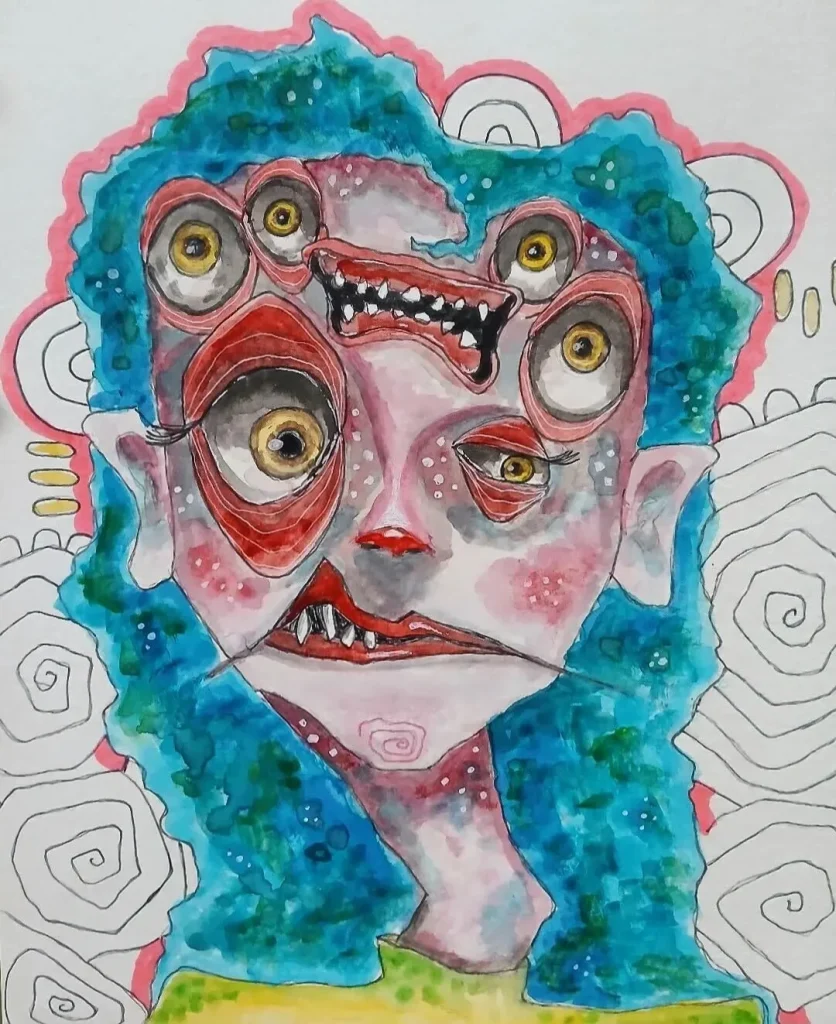 |
Pro Qwen: Best balance between watermark removal and detail preservation on illustration and anime-style images. Respects stylized lines and flat color regions.
Auto 4.0: Results close to Qwen on this image type. Slightly less precise on fine artistic detail but significantly better than 3.0.
Best for this case: Pro Remove (Qwen) — cleaner watermark removal with better preservation of illustration style and flat color fidelity.
Beauty Stickers and Filters on Faces
| Original | Auto Remove 3.0 | Pro Remove (Qwen) | Auto Remove 4.0 |
 |  |  |  |
Pro Qwen: Removes stickers in most cases but occasionally leaves small residue or removes only part of the overlay.
Auto 4.0: Best result for this case. It restores face detail naturally and removes beauty stickers and filters most completely. Standout performer on face-related content.
Best for this case: Auto Remove 4.0 — clearest advantage over other models on face detail and beauty filter removal.
Model Comparison Summary
| Image Type | Auto Remove 3.0 | Pro Remove (Qwen) | Auto Remove 4.0 |
|---|---|---|---|
| Multiple stickers / doodles | Misses small objects | Good — handles detection gaps | ✅ Best overall removal |
| Hand-drawn marks on subject | Partial removal only | ✅ Best — texture preserved | Better than 3.0, less texture than Qwen |
| Decorative doodles | Leaves residue | Strong on fine detail | ✅ Most consistent results |
| Illustration / anime watermark | Faint residue remains | ✅ Best detail preservation | Close to Qwen, better than 3.0 |
| Beauty sticker / face filter | Blurs area, misses stickers | Good but occasional residue | ✅ Best face detail restoration |
| Simple text watermark on photo | Good for basic cases | Good | ✅ Strongest removal |
Auto Remove 4.0 Costs 1 Credit: 3x Cheaper Than Pro
| Original | Pro Remove (Qwen) | Auto Remove 4.0 |
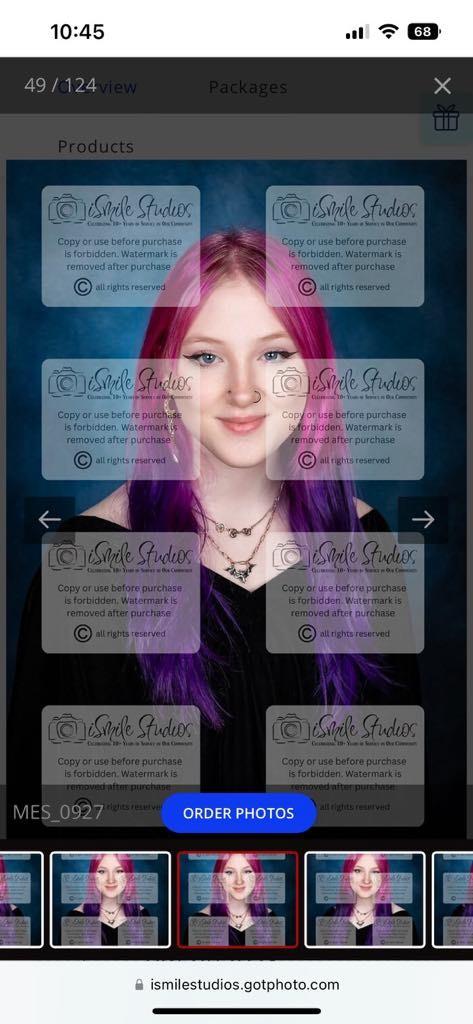 | 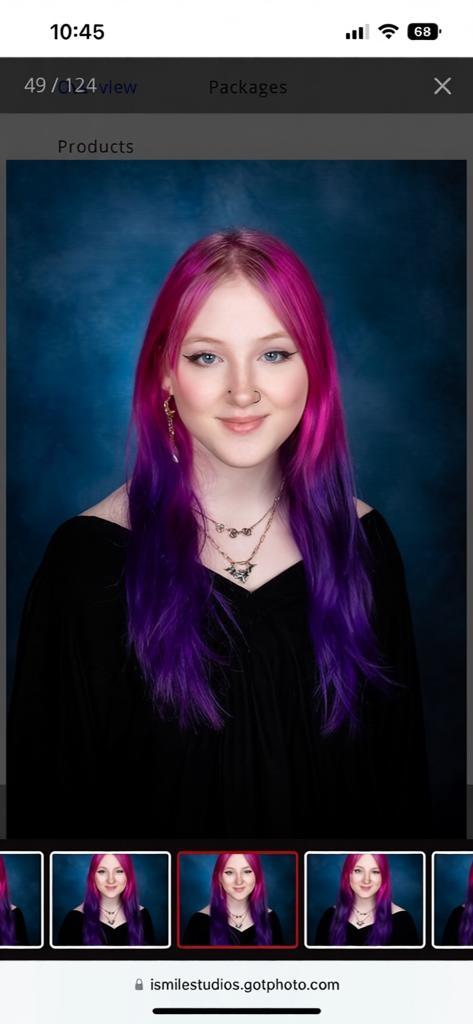 | 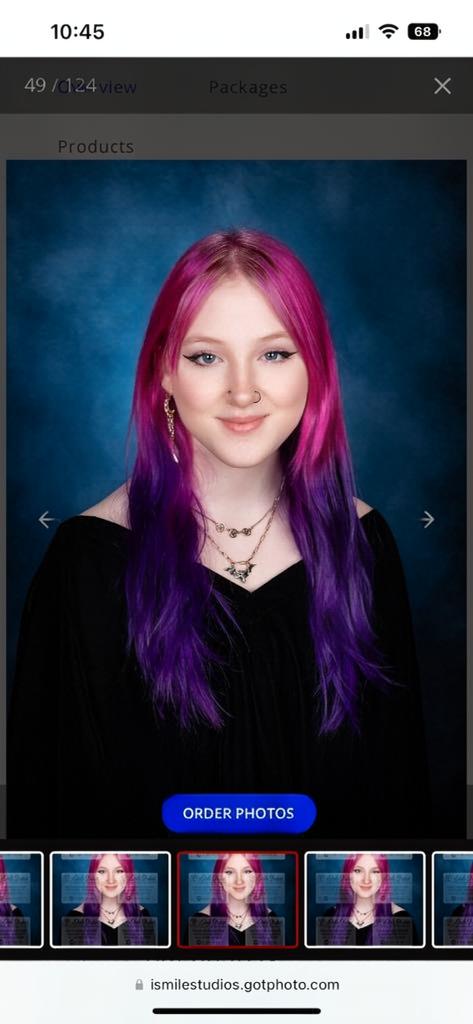 |
For users processing large volumes of images, this cost reduction is significant. A typical credit plan that covered a limited number of Pro removals now goes three times further when Auto Remove 4.0 is enough for the image type.
Full pricing details and credit plan options are available on the DeWatermark pricing page. All plans include credits shared across image, video, and PDF watermark removal.
How to Use Auto Remove 4.0 in DeWatermark
Auto Remove 4.0 is available now in the DeWatermark image watermark remover. Follow these steps to select it when processing your image.
Step 1: Upload Your Image
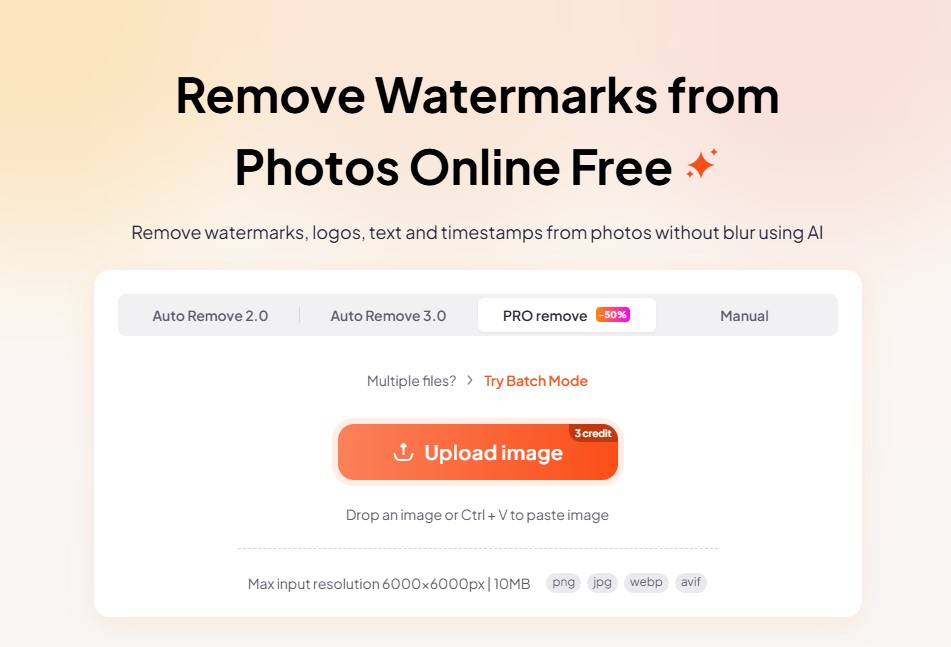
Go to dewatermark.ai and drag and drop your image or click to upload. Supports JPG, PNG, WEBP, and AVIF files up to 10MB.
Step 2: Select the Auto Remove 4.0 Model
After uploading, look for the model selector above the editing area. Select Auto Remove 4.0. This model costs 1 credit per image and delivers the strongest removal results for stickers, doodles, and complex watermarks.
If you are working with illustration or anime-style images, or hand-drawn marks with fine texture detail, consider trying Pro Remove (Qwen) first (3 credits per image) — it may preserve artistic detail more precisely for those specific image types.
Step 3: Remove the Watermark and Download
Click to process the image. Auto Remove 4.0 will detect and remove the watermark, sticker, or doodle — including elements outside the detected mask area. Download the clean image at original resolution in JPG, PNG, or WEBP.
Quick Guide: Which Model Should You Use?
Use this reference when deciding which model to select for your image:
- Beauty stickers or filters on faces → Auto Remove 4.0
- Multiple stickers scattered across the image → Auto Remove 4.0
- Decorative doodles, general watermarks → Auto Remove 4.0
- Illustration or anime-style images → Pro Remove (Qwen)
- Hand-drawn marks with fine detail close to subject → Pro Remove (Qwen)
- Simple text watermark on clean photo → Auto Remove 4.0 (same 1-credit price as 3.0, stronger result)
When in doubt, start with Auto Remove 4.0. It produces the most complete removal across the widest range of image types at just 1 credit per image.
Try Auto Remove 4.0 Now
Auto Remove 4.0 is available on DeWatermark at 1 credit per image — no subscription required to try it. Upload your image, select Auto Remove 4.0 from the model selector, and download the result.
Try Auto Remove 4.0 on DeWatermark →
For credit plan options and pricing, visit the DeWatermark pricing page.