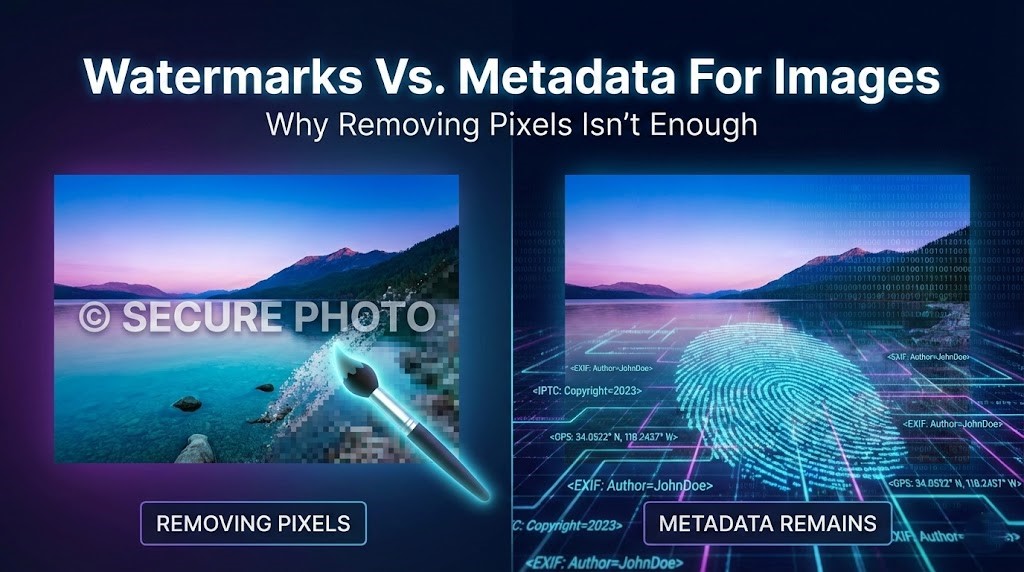
Dewatermark API is a REST API that removes watermarks from images automatically using AI. Send an image, get back a clean version — no manual editing, no Photoshop, no human review required. It is built specifically for watermark removal, not general image editing, which means it handles the cases that general-purpose tools miss: transparent overlays, diagonal patterns, multi-layered marks, and stickers on complex backgrounds.
As of June 2026, Dewatermark API starts at $7 for 100 credits ($0.07 per credit) — the most affordable entry point among dedicated watermark removal APIs currently available. At scale, the price drops to $0.008 per credit at 25,000 credits. There is no subscription required and no monthly minimum.
What is Dewatermark API?
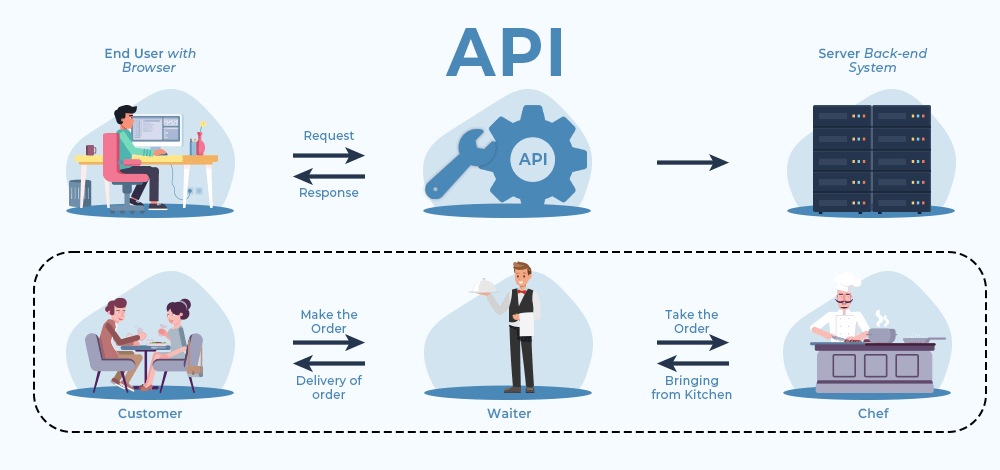
The Dewatermark API is a RESTful web service that uses AI to detect and remove watermarks from images. You send an HTTP request with an image URL or base64-encoded file, and the API returns a cleaned version with the watermark erased and the background reconstructed naturally.
Unlike general image editors that require manual selection or layer-based editing, Dewatermark detects watermark regions automatically. The AI model identifies the watermark layer — whether it is a logo stamp, diagonal text overlay, semi-transparent pattern, or sticker — and removes it using inpainting, which reconstructs the background pixels beneath the watermark without blurring or cropping the frame.
The API supports both single-image and batch requests. It is authenticated via Bearer Token and accepts standard image formats. Uploaded files are automatically deleted from servers one hour after processing.
Why use Dewatermark API?
Most watermark removal tools are either built for consumer use, one image at a time, manual selection, browser-based — or are general image processing platforms where watermark removal is one feature among dozens. Dewatermark API is built for one thing: removing watermarks from images programmatically, at any volume, with the best quality available at this price point.
The Best Price-to-Quality Ratio in the Market
Dewatermark API is the only dedicated watermark removal API that combines specialist-level removal quality with pay-as-you-go pricing starting below $0.08 per image. Competing APIs either charge more for equivalent quality or deliver lower accuracy on complex watermarks at a similar price.
At $0.07 per credit for the entry tier, Dewatermark is already more affordable than WatermarkRemover.io ($0.20/image at low volume) and competitive with PicWish ($0.10/image at 100 images). At scale, the gap widens further; 25000 credits at $0.006 per credit, with volume enterprise pricing available on request.
For a full comparison of watermark removal API pricing across five tools, see: Best Watermark Removal APIs in 2026
AI Trained Specifically on Watermarks
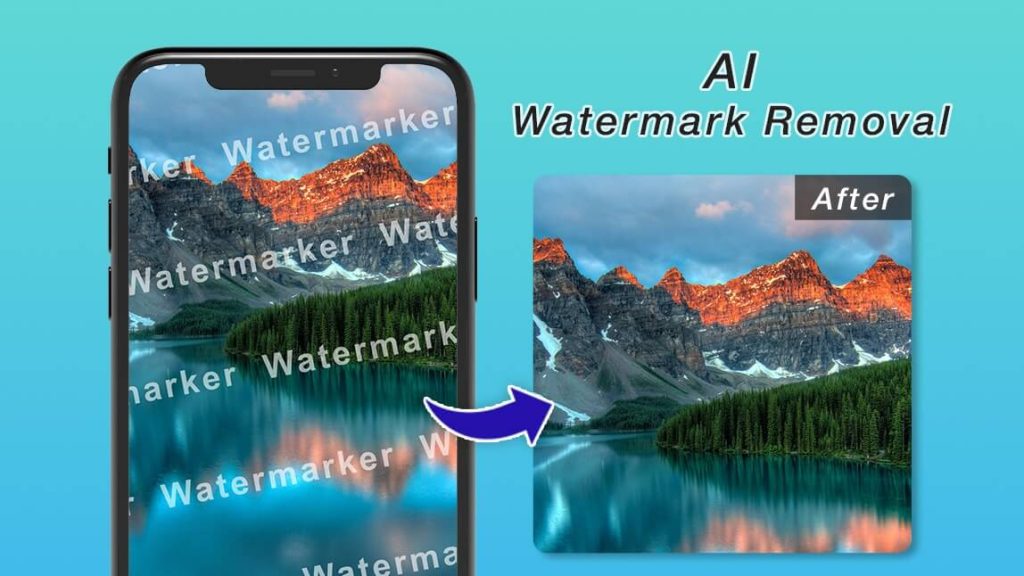
Dewatermark’s AI models are trained specifically on watermark patterns — not general image content. The model distinguishes the watermark layer from document text, image detail, and background texture before removing it. This matters on hard cases: a watermark overlapping a face, fine illustration lines, or a dense background where general-purpose tools blur or leave residue.
Dewatermark currently offers three removal models, each optimized for different watermark types:
- Auto Remove 3.0 — Standard model. Best for simple text watermarks on clean backgrounds. Included in base credits.
- Pro Remove (Qwen) — Previous Pro model. Stronger on illustrations, anime-style images, and hand-drawn overlays. Superior texture preservation.
- Pro Remove 4.0 — Current Pro model. Strongest overall removal including elements outside the detected mask. Best for stickers, beauty filters, and decorative doodles. Costs 3 credits per image — 3x cheaper than the previous Pro model.
For a detailed breakdown of model performance across five image types, see: DeWatermark Pro Remove 4.0 Launch — Better Watermark Removal at 3x Lower Cost.
No Subscription, No Commitment
There is no monthly fee, no minimum spend, and no subscription required to use Dewatermark API. You buy credits and use them when you need them. Credits are shared across image, video, and PDF watermark removal. Free tier available at 3 images per day for testing without any payment.
Fast Response, Built for Scale
Dewatermark API returns results in 2 to 5 seconds per image for standard removal. The API supports batch requests and is built to handle high-volume workloads. Bearer Token authentication is quick to set up — a working integration takes minutes, not hours.
Private by Default
Uploaded images are transmitted via SSL/TLS encryption and automatically deleted from servers one hour after processing. Files are never stored, shared, or used for any purpose beyond the immediate removal request. No hidden data practices, no opt-in required.
Dewatermark API Pricing — Updated June 2026
Dewatermark has updated its API pricing, reducing entry-level costs by 25% compared to previous plans. The new pricing reflects Dewatermark’s position as the most affordable dedicated watermark removal API currently available.
| Credits | Total price | Price per credit |
|---|---|---|
| 100 | $7 | $0.07 |
| 500 | $18 | $0.036 |
| 1,000 | $25 | $0.025 |
| 5,000 | $80 | $0.016 |
| 10,000 | $100 | $0.01 |
| 25,000 | $200 | $0.008 |
| 50,000 | $360 | $0.007 |
| 100,000 | $640 | $0.006 |
| Enterprise | Contact us | Volume discounts + Beta access |
1 credit = 1 standard removal using Auto Remove 3.0. Credits are shared across image, video, and PDF watermark removal, one balance covers all file types. At 1,000 images per month using Auto Remove 3.0, the total cost is $25 — $0.025 per image.
How the Dewatermark API Works
The Dewatermark API follows a four-step process from image input to clean output.
Step 1: Authenticate and Send Your Image
Make a POST request to the Dewatermark API v2 endpoint using your API key in the X-API-KEY header. The request uses multipart/form-data. Send your image as a binary file or pass a URL directly. Supported formats: JPG, JPEG, PNG. Maximum image dimension: 6000px on the longest side.
Shell (cURL) — image file:
curl -X POST "https://platform.dewatermark.ai/api/object_removal/v2/erase_watermark" -H "X-API-KEY: YOUR_API_KEY" --form 'original_preview_image=@"image.jpg"' --form 'predict_mode="3.0"'
Python — automatic watermark detection and removal:
import requests
import base64

API_KEY = "YOUR_API_KEY"
url = "https://platform.dewatermark.ai/api/object_removal/v2/erase_watermark"
headers = {"X-API-KEY": API_KEY}

with open("image.jpg", "rb") as image_file:
    files = {"original_preview_image": ("image.jpg", image_file)}
    data = {"predict_mode": "3.0"}
    response = requests.post(url, headers=headers, files=files, data=data)

result = response.json()
image_data = base64.b64decode(result["edited_image"]["image"])
with open("output.jpg", "wb") as f:
    f.write(image_data)
The predict_mode parameter controls which removal model is used: "3.0" (Auto Remove 3.0, default) works best for most cases. To use Pro Remove 4.0, set predict_mode to "4.0" — costs 3 credits per image. Set remove_text="true" to enable enhanced text watermark removal.
Step 2: AI Detects the Watermark
Dewatermark’s AI model scans the image and identifies the watermark layer — logo stamps, text overlays, diagonal patterns, transparent marks, or stickers — across different positions, opacity levels, and backgrounds. Detection is fully automatic with no manual input required.
Step 3: Watermark Is Removed and Background Reconstructed
The AI removes the detected watermark and fills the affected area using inpainting — analyzing surrounding pixels, color, and texture to reconstruct the background naturally. The result matches the original image context without blurring, cropping, or visible artifacts.
Step 4: Receive the Clean Image
The API returns a JSON response containing the cleaned image as a base64-encoded string in edited_image.image, along with a session_id and watermark mask. The session_id can be used for manual refinement in subsequent API calls without re-uploading the original image. Both the original and processed files are deleted from servers within one hour. For images where residue remains, use the session_id with a mask_brush parameter to refine specific areas, or open the result in Dewatermark’s web editor for manual touch-up using the AI brush tool.
See: Dewatermark API docs
Who Uses the Dewatermark API
Dewatermark API is used by developers, product teams, and businesses that process images at volume and need watermark removal integrated into their workflow rather than done manually.
E-Commerce Platforms
Remove supplier watermarks from product photos before publishing to Shopify, Amazon, or WooCommerce. Batch processing handles hundreds of product images at once — reducing manual editing from hours to minutes.
Content Platforms and Marketplaces
Automatically clean user-uploaded images before they go live on the platform. Integrates into upload pipelines with no manual review step for standard watermark types.
Media and Publishing Tools
Embed watermark removal into design or editing platforms to let users clean stock images, prepare visuals for publication, or process licensed content for final export.
Image Enhancement Pipelines
Combine Dewatermark API with background removal, upscaling, or retouching services to build a complete AI image processing pipeline. Credits shared across Dewatermark’s image, video, and PDF tools cover the full workflow under one account.
Video Watermark Removal
The Dewatermark API includes a dedicated video watermark removal endpoint. The video workflow uses four steps: generate an upload URL, upload the video file via signed URL, submit the processing task, then poll for completion. Video pricing is 0.2 credits per second (1 credit = 5 seconds of video). Supports MP4 files at 24fps up to 9 minutes. Failed tasks receive a full credit refund.
# Step 1: Generate upload URL
POST https://platform.dewatermark.ai/api/video/v1/upload
X-API-KEY: YOUR_API_KEY

# Step 2: Upload video to signed URL (HTTP PUT)

# Step 3: Submit task
POST https://platform.dewatermark.ai/api/video/v1/tasks
X-API-KEY: YOUR_API_KEY
task_id: TASK_ID_FROM_STEP_1

# Step 4: Poll status
GET https://platform.dewatermark.ai/api/video/v1/tasks/{task_id}
X-API-KEY: YOUR_API_KEY
Automation Workflows
Connect Dewatermark API to automation tools — n8n, Make.com, Zapier — to remove watermarks as part of a larger content processing or asset management workflow without writing custom integration code.
Research and Dataset Preparation
Clean watermarked images in training datasets for AI models or visual analysis pipelines. The API handles batch requests efficiently and returns results in under 5 seconds per image.
Best Practices for Using Dewatermark API
Start with Auto Remove 3.0, Upgrade When Needed
Auto Remove 3.0 costs 1 credit per image and handles the majority of standard watermark types cleanly. Test your image set with the standard model first. Upgrade to Pro Remove 4.0 (3 credits) for images where residue remains or sticker/doodle removal is needed.
Use High-Quality Input Images
The AI produces better results on clean, high-resolution images. Heavily compressed or blurred inputs reduce reconstruction quality in the removed area. Where possible, use original-quality files rather than re-exported or re-compressed versions.
Implement Retry Logic for Batch Jobs
For large batch operations, implement retry logic to handle occasional timeouts or rate limit responses. Dewatermark’s API documentation covers recommended retry patterns and rate limit headers.
Use the AI Brush for Edge Cases
For images with unusually complex or layered watermarks, combine API output with manual refinement in Dewatermark’s web editor. The AI brush tool applies inpainting locally to specific areas for pixel-perfect cleanup on difficult cases.
Privacy and Security
All images sent to Dewatermark API are transmitted using SSL/TLS encryption. Uploaded files are processed solely for watermark removal — they are not stored beyond processing, not shared with third parties, and not used for any other purpose. Both the original upload and the processed result are deleted from servers within one hour of processing.
Dewatermark desktop software for Windows and macOS is regularly scanned and verified free from viruses, malware, and harmful components. The API and web platform operate under the same privacy-first approach.
Frequently Asked Questions About Dewatermark API
What image formats does Dewatermark API support?
Dewatermark API supports JPEG, JPG, and PNG formats. Maximum file size is 10MB per image. WEBP input support is available in the web tool.
How much does the Dewatermark API cost?
Dewatermark API is priced at $0.075 per credit for the entry tier (200 credits for $15), scaling to $0.016 per credit at 25,000 credits. Auto Remove 3.0 costs 1 credit per image. Pro Remove 4.0 costs 3 credits per image. There is no subscription or monthly minimum. Full pricing is on the Dewatermark API pricing page.
How does Dewatermark API pricing compare to competitors?
At entry level, Dewatermark at $0.07/image is cheaper than WatermarkRemover.io ($0.20/image at 100 images) and competitive with PicWish ($0.10/image at 100 images). At scale, Dewatermark reaches $0.006/credit at 100,000 credits — lower than most competitors at equivalent volumes. For a full comparison, see Best Watermark Removal APIs in 2026.
How long does it take to process an image?
Standard processing with Auto Remove 3.0 takes 2 to 5 seconds per image. Pro Remove 4.0 may take slightly longer on complex images. Batch requests process multiple images in parallel.
What happens to my images after processing?
Dewatermark deletes both the original uploaded image and the processed result within one hour of processing. Files are never stored, shared, or used for any purpose beyond the removal request.
What if the watermark is not fully removed?
For complex or multi-layered watermarks, residue may remain after standard processing. Open the result in Dewatermark’s web editor and use the AI brush tool to clean up remaining areas manually. Pro Remove 4.0 handles most complex cases automatically before manual refinement is needed.
Is there a free tier to test the API?
Yes. Dewatermark offers 3 free images per day through the web tool for testing without payment. API integration testing is available with a pay-as-you-go purchase — there is no minimum spend and credits do not expire.
What is the difference between Auto Remove 3.0 and Pro Remove 4.0?
Auto Remove 3.0 handles standard watermarks well at 1 credit per image. Pro Remove 4.0 produces stronger removal on stickers, doodles, beauty filters, and complex overlays — including elements outside the detected mask area — at 3 credits per image. For a detailed model comparison, see DeWatermark Pro Remove 4.0 Launch.
Start Using Dewatermark API
Dewatermark API is available now. The entry tier starts at $7 for 100 credits — no subscription, no monthly minimum. Credits are shared across image, video, and PDF watermark removal.