
If someone uses your images without permission, you are not powerless. Most websites and major platforms like Facebook, Instagram, and Threads provide clear reporting mechanisms that allow copyright owners to request the removal of infringing content.
In this guide, we’ll walk you through how to report illegal use of your images, what information you should prepare in advance, and how to handle image theft across websites and popular social media platforms.
What to prepare before you report illegal use of your images
Before submitting a copyright or image theft report, it’s essential to gather the necessary information. Preparing everything in advance will make the reporting process faster and increase the chances of a successful removal.




- Proof of ownership: This can include the original image file, raw photo files, upload timestamps, portfolio links, or any record showing that you created or legally own the image.
- URLs of the infringing content: Copy the exact links where your image is being used without permission. Each platform usually requires the specific URL of the violating post or webpage.
- Screenshot evidence (recommended): Take screenshots showing your image being used illegally. This is useful in case the content is later removed or modified.
- Your contact information: Most reports require your name, email address, and confirmation that you are the copyright owner or authorized representative.
- Copyright or watermark details (optional): If your image includes a watermark or copyright notice, this can help support your claim, though it is not always required.
Having these details ready will help you submit accurate and complete reports, reducing delays or rejections from websites and social media platforms.
How to report illegal image use on a website
When your images are used without permission on a website, the most effective way to address the issue is usually through a DMCA takedown request. Most websites and hosting providers are required to respond to valid copyright complaints.
Identify where the website is hosted
Before sending a report, try to identify the website’s hosting provider. Hosting companies are responsible for managing content stored on their servers and typically handle DMCA complaints.
You can often find hosting information by:
- Checking the website’s “Contact” or “Terms” page
- Using a public domain or hosting lookup tool
- Reviewing the website’s DMCA or copyright policy, if available
If the website owner does not respond, contacting the hosting provider directly is usually more effective.
Submit a DMCA takedown notice
A DMCA takedown notice is a formal request asking for the removal of copyrighted content. When submitting a notice, make sure it includes:
- A description of your copyrighted image
- The exact URL where the image is being used illegally
- A statement that you believe the use is unauthorized
- Your contact details and a declaration of accuracy
Most hosting providers have online forms or designated email addresses for DMCA submissions.
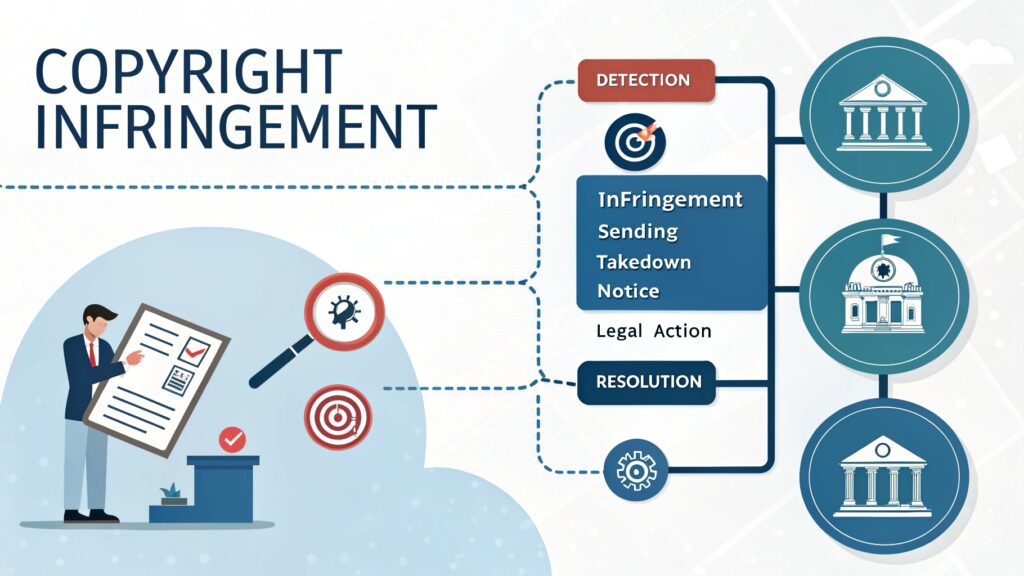
What happens after you submit a report
Once a valid DMCA notice is received, the website or hosting provider typically:
- Reviews the request
- Removes or disables access to the infringing content
- Notifies the website owner
In some cases, the website owner may file a counter-notification if they believe the takedown was incorrect. If that happens, the platform may restore the content unless further legal action is taken.
How to report if somebody uses your images illegally on social media
Meta platforms (Facebook, Instagram, and Threads) share a similar copyright reporting system. If someone uses your images without permission on any of these platforms, you can submit a copyright infringement report directly to Meta.
- Reporting image theft on Facebook
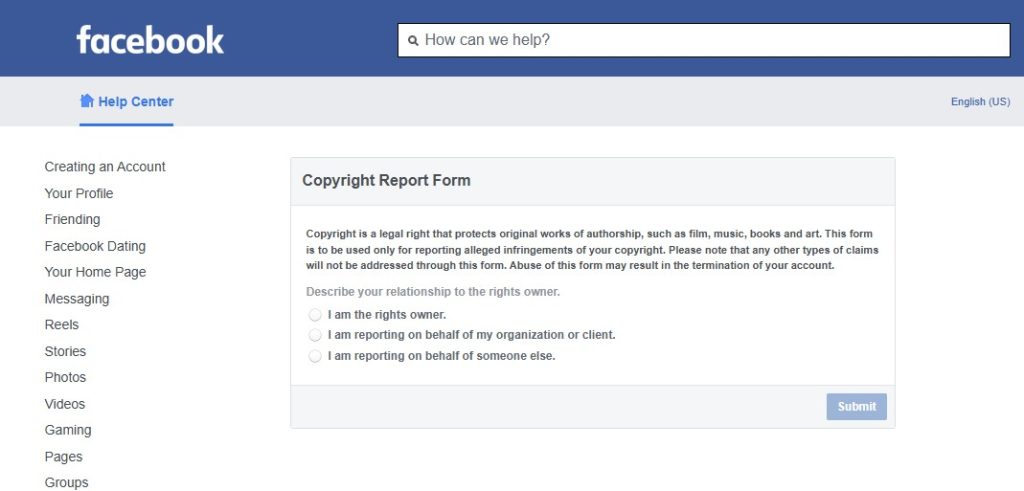
To report an image on Facebook:
- Go to Facebook’s copyright report form.
- Select that you are the copyright owner or authorized to act on their behalf.
- Provide a description of your original image and explain how it is being infringed.
- Paste the URL of the Facebook post, page, or profile where the image appears.
- Submit your contact information and required legal declarations.
After submission, Facebook reviews the report and may remove the content if it violates copyright rules. You will usually receive a confirmation email once the process starts.
=>>> Fill out the form here at: https://www.facebook.com/help/contact/1758255661104383
- Reporting image theft on Instagram
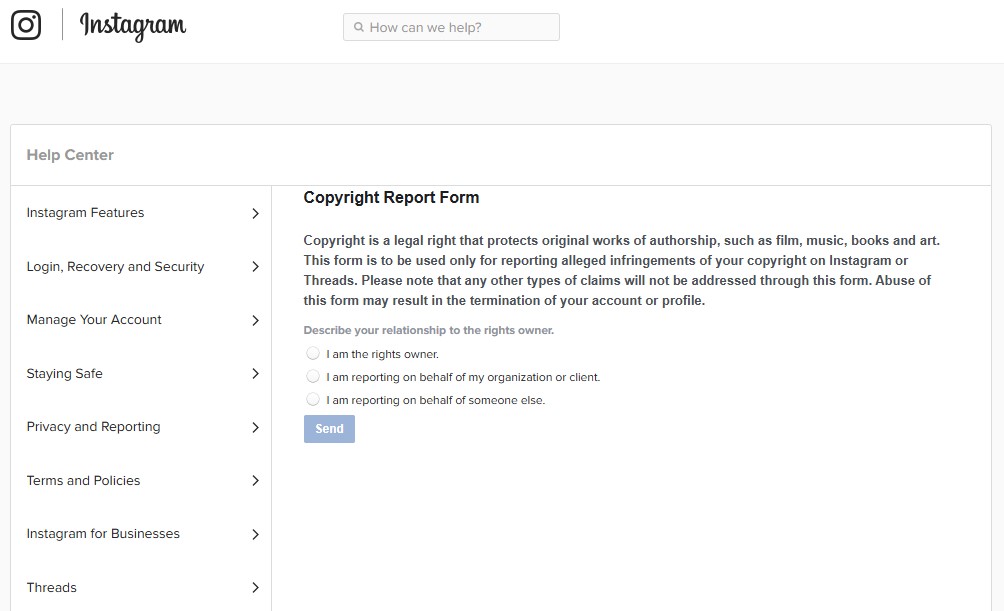
Instagram allows copyright reports through both the mobile app and a web form:
- Open the post, story, or reel containing your image.
- Use Instagram’s copyright infringement reporting option.
- Provide links to your original image and the infringing content → Confirm that you own the rights to the image.
Instagram reviews copyright reports carefully, and if approved, the infringing content is removed. Repeat offenders may face account restrictions.
Quick link to submit your report: https://help.instagram.com/contact/552695131608132
- Reporting image theft on Threads
Threads follows Meta’s copyright policies and reporting system:
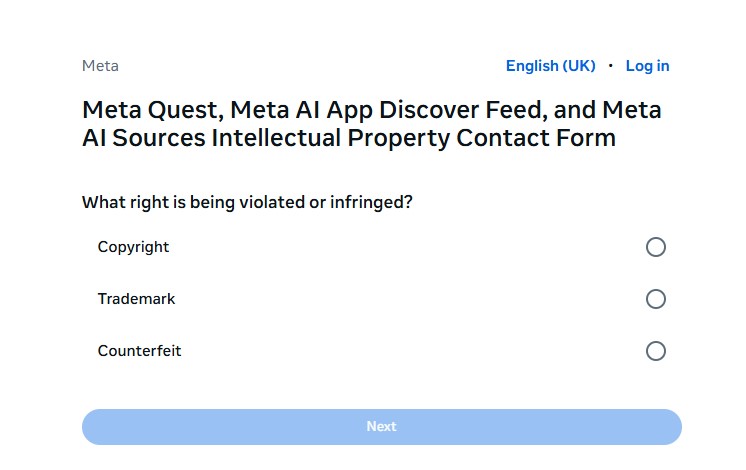
- Use the same Meta copyright report form.
- Select Threads as the platform where the infringement occurred.
- Submit the post URL and ownership details.
Because Threads is closely integrated with Instagram, the review process and requirements are nearly identical.
Quick link to submit your copyright report to Threads: https://help.meta.com/requests/500431086333154
Inside tips to improve your chances of successful removal of the image copyright infringement
Be specific and accurate
Always include the exact URLs of the infringing content. Vague or incomplete links can delay or invalidate your report.
Submit one report per platform
Each website or social media platform has its own review process. Avoid submitting the same report to multiple platforms at once unless necessary.
Use clear proof of ownership
Linking to your original image source, portfolio, or published work helps reviewers verify your claim more easily.
Avoid false or exaggerated claims
Only report content you genuinely own. Filing incorrect or abusive reports may lead to rejection or account penalties.
Keep records of your submissions
Save confirmation emails, screenshots, and case numbers. These records are useful if you need to follow up or escalate the issue.
Be patient but persistent
Reviews can take time. If no action is taken after a reasonable period, submitting a follow-up report is often appropriate.
Having your images used without permission can be frustrating, but you have clear options to protect your work. By understanding how to report image theft on websites and social media platforms like Facebook, Instagram, and Threads, you can take effective action to have infringing content removed.
Staying organized, submitting accurate reports, and using digital tools responsibly helps you maintain control over your creative assets.